


PSEG
3.6789.00 Reviews
App Specs
- Version
- 66497
- Updated On
- License
- Free
- Downloads
- 100,000+
- Developer
- PSEG
- Categories
- Business
- Platform
- Android
Screenshots
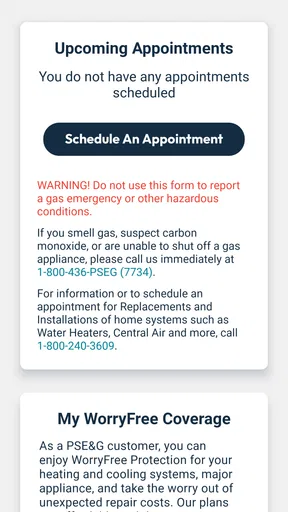
 Analysis by AppCompare
Managing a utility account is rarely something I want to turn into a long task. I usually open an app like this when I need to check a bill, review account information, or deal with a service issue while I am away from a computer. PSEG is built for that narrow but useful purpose: it brings PSE&G account management to a phone and presents it as a practical business app rather than a general customer-service hub.
After spending time with it, my view is that its biggest value is convenience, especially for customers who already handle most of their household administration from a mobile device. It is free, aimed at Everyone, and developed by PSEG. The app has a 3.6 average from around 2.4 thousand ratings, with over 100 thousand installs, so it is established enough to have a meaningful user base without feeling like an obscure experiment.
What matters most here, though, is not the download figure. It is whether the app remains understandable when I am tired, distracted, using a smaller screen, or trying to complete an urgent account task. That is where my experience is more mixed: the app can reduce effort, but account-management screens still demand attention and do not automatically solve every accessibility challenge.
How clearly the account experience works
I find that a utility app earns a lasting place only when it makes a familiar task easier without demanding much attention in return. Here, the useful test is whether the account screens remain clear after the first visit, when I am no longer exploring and simply want to get something done. That leads naturally to the question of how confidently the app guides routine account work.
Readability and navigation in everyday use
The strongest part of PSEG is its focused purpose. I am not opening it to browse unrelated content, compare products, or learn a complicated system. I am opening it because I need to interact with my PSE&G account. That limited scope gives the app a clear advantage over a mobile browser session where I might have to find the correct customer portal, dismiss browser controls, and sign in through a page that was designed primarily for a larger display.
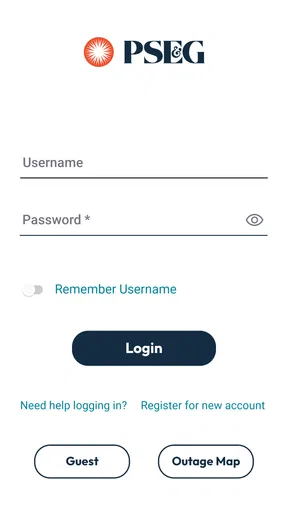
For a first-time user, the sensible approach is to begin with one simple task rather than explore every available account area. I would sign in, identify where account details and billing information are located, and then use the same route the next time. This creates a personal shortcut based on memory, which is particularly helpful for anyone who finds changing layouts or crowded menus tiring.
The app is best understood as a companion for recurring account work, not as a place to spend time. That distinction affects readability. Short visits make it easier to concentrate on one screen and check the result before closing the app. If I were trying to review several months of information, compare multiple details, or investigate an unusual charge, I would slow down and verify each screen rather than relying on quick taps.
Worth Reading Before You Choose

EA SPORTS FC Mobile 26 Is a Bigger Football Game, but It Takes Time

Flipboard Shows What News Apps Must Do Beyond the Feed

Switching to Android Auto Means Rethinking Your Driving Routine

Google Calendar Makes a Crowded Week Easier to Manage

Ludo King Makes the Most of the Minutes Between Plans

Baby Panda World Brings Quick Play to Modern Phones, but Its Game Library Feels Busy
There is also a useful trade-off between a dedicated app and the usual alternative, a browser. The app can feel more direct because it is already associated with the PSE&G account, while a browser may be preferable when I need larger text, desktop-style page layout, or easier side-by-side comparison. People who use browser zoom or a large monitor should not assume that a phone app will be more comfortable simply because it is specialized.
Text, contrast, and cognitive load
Readable design is not only about whether letters are technically visible. It is also about whether I can understand what the screen is asking me to do. Utility accounts often contain amounts, dates, account labels, and action buttons close together. A small mistake can send me into the wrong section or make me question whether a task was completed.
My practical recommendation is to avoid using the app while rushing between other activities. Read the account identifier or billing context before confirming an action, especially if more than one household account is involved. This is a small habit, but it reduces the cognitive burden created by similar-looking account information.
People with low vision may find a phone screen less forgiving than a browser on a tablet or computer. Enlarging system text can help in many apps, but the result depends on how each screen responds. If enlarged text causes labels to wrap awkwardly or pushes controls out of view, the browser or a larger device may be the better option for that particular task. I would test the app with the text settings I normally use before making it my only way to manage the account.
For users with dyslexia, attention difficulties, or memory-related challenges, a consistent routine is more valuable than trying to remember every feature. I would keep the app in an obvious place, open it only when I have the relevant account information nearby, and take a moment to read confirmation messages instead of immediately leaving the screen. PSEG does not remove the need for careful reading, but its single-purpose nature can make that routine easier to maintain than a general website full of unrelated navigation.
Motor and sensory considerations
Mobile account management can be convenient for someone who cannot comfortably sit at a desk, but it also introduces motor demands. Tapping small controls, scrolling through dense information, entering credentials, and holding a phone steady can all become difficult for people with tremors, limited reach, joint pain, or one-handed use.
I would use the app in a supported position rather than trying to complete an important task while walking or carrying something. A stable surface makes it easier to tap accurately and inspect the result. When possible, using the device’s built-in voice input for text entry may reduce repeated typing, although the quality of that experience depends on the phone and the information being entered.
One useful workflow is to separate browsing from confirmation. First locate the relevant account area, then pause before selecting an action that changes or submits information. This two-step approach is slower, but it is friendlier to users who need extra time to position a finger or who sometimes trigger neighboring controls accidentally. It also helps anyone who is distracted by glare, background noise, or an interruption.
For blind or low-vision users who rely on a screen reader, the important question is how well each current screen exposes labels, headings, values, and controls to the operating system’s assistive technology. I would not treat the app’s general-purpose age rating as proof of screen-reader compatibility. The most responsible approach is to test the specific task you need, such as signing in or checking a bill, before depending on it for urgent account management.
Users with hearing loss are less likely to need audio information for the basic act of viewing an account, but any alert or support interaction should still be checked in context. If an important message is communicated mainly through sound or a transient notification, that could be less useful than information that remains visible on the screen. I would keep written confirmation details available until I know the task has been completed successfully.
Situational access beyond disability
Accessibility also changes with circumstances. I may have full vision and steady hands at home, yet struggle to read a phone outdoors, use it with wet hands, or concentrate while looking after a child. PSEG is most useful in those moments when I can give it a short, focused session rather than trying to multitask.
A realistic example is receiving a billing reminder while away from home. I can open the app, review the account information, and decide whether I need to continue immediately or wait until I have better lighting and a stable connection. The advantage is not that the phone makes the task effortless; it is that I do not have to wait until I return to a computer just to begin checking the account.
Another scenario is handling household administration for a family member. A phone app can make the account available while visiting them, but this convenience comes with a privacy responsibility. I would avoid saving account details in a way that another person could casually access, and I would be careful when using a shared device. The app’s usefulness for caregivers depends as much on safe device habits as on navigation.
For people with limited data access, intermittent connectivity, or an older device, a dedicated app is not automatically the most dependable route. A browser on another device may work better when the phone is nearly full, the operating system is incompatible, or the app does not behave well under difficult network conditions. The listed minimum operating system is 10, which is worth checking before planning around the app.
The current version is 66497, and that detail matters mainly because mobile interfaces change. A guide based on an older screen may not match what I see today. If a familiar button appears in a different place after an update, I would rely on the wording on the current screen rather than blindly repeating old instructions.
Where friction remains
The main limitation is that a focused account app cannot eliminate the complexity of utility administration. Bills and service information can still require careful interpretation, and a small display is not ideal for comparing several pieces of information at once. If I need a broad overview, a desktop browser remains more comfortable.
Sign-in is another potential barrier. Account credentials are necessary for protecting personal information, but entering them on a phone can be frustrating for people with motor difficulties, visual fatigue, or memory challenges. A password manager, device-level autofill, or an alternative input method may help, but those tools introduce their own setup and security considerations. I would rather spend time making sign-in manageable than repeatedly abandoning the app halfway through.
There is also a difference between being able to open an app and being able to complete every important task independently. A screen may look clean while still presenting problems for screen readers, enlarged text, color-dependent cues, or touch accuracy. I would judge PSEG by the exact action I need, not by its category, its broad audience label, or its presence in an app store.
Customers who rarely use a smartphone, prefer telephone support, or need extensive help interpreting a bill may not gain much from installing it. The app is not a replacement for human assistance when the issue is complicated, sensitive, or difficult to explain through a sequence of mobile screens. In those cases, the usual support channel may be more appropriate, even if it takes longer.
Likewise, people who manage several accounts or perform detailed record-keeping may prefer a browser and a larger screen. The phone format is convenient for a quick check, but convenience can become friction when I need to copy information, compare periods, or keep notes open at the same time.
Who should use it and how to get more from it
I would recommend PSEG to PSE&G customers who want a direct mobile route for routine account management and who are comfortable reviewing important information on a phone. It makes the most sense for people who already use their smartphone for household administration and want to check an account without opening a computer.
I would be more cautious if accessibility depends on very large text, reliable screen-reader labeling, precise touch control, or a wide layout. In those situations, install the app as a possible convenience, but keep a browser or another support route available until the essential workflow has been tested. That is especially important before an urgent billing or service situation.
Three habits make the experience more dependable. First, complete one account task at a time and read the final status before closing the app. Second, use a stable surface and good lighting when entering or confirming information. Third, compare the app with the browser on your own device settings rather than assuming one format is universally better.
The app is free, which removes a financial barrier to trying it. Its Everyone content rating also makes it broadly suitable from an age-classification perspective, but neither fact guarantees that every person will find the interface comfortable. Comfort depends on the phone, operating-system settings, vision, dexterity, and the complexity of the account task.
My inclusive verdict
After using it as a mobile utility-account tool, I see PSEG as a practical option with a clear purpose rather than a complete answer for every customer. Its value comes from putting routine PSE&G account work within reach when a computer is inconvenient. The dedicated format can be less distracting than a general browser session, and that simplicity is helpful for short, repeatable tasks.
At the same time, I would not describe it as automatically accessible for every ability or situation. People who need a larger view, extensive keyboard control, highly reliable assistive-technology support, or personal help with billing may be better served by the browser or direct customer support. The strongest choice may be to keep both options available instead of treating the app as the only route.
My final recommendation is straightforward: try it for the one task you perform most often, test it with your usual text and accessibility settings, and keep the browser as a fallback. If that first workflow feels readable, controllable, and easy to verify, PSEG can become a useful part of your household routine. If it creates uncertainty or physical strain, choosing a larger screen or another support channel is not a failure of the app or the user; it is simply the more inclusive decision.
For me, the app earns its place through convenience, not through feature overload. It is a sensible free business app for customers who want account access on the go, provided they match it to their own needs and do not confuse mobile availability with universal accessibility.
Pros
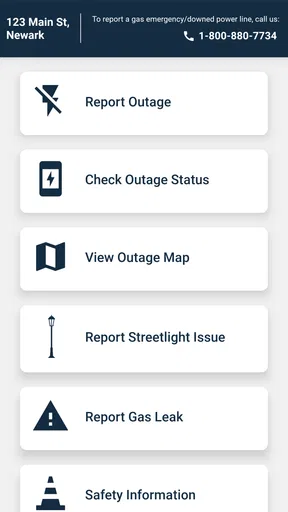
- Clear outage updates help users track restoration progress.
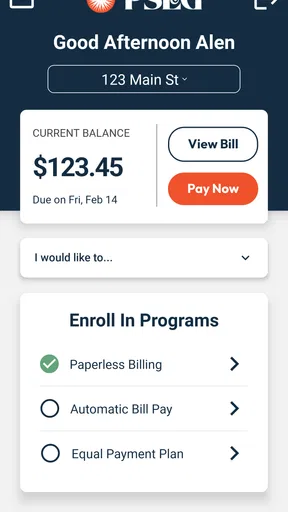
- Bill payment and account management are available in one place.
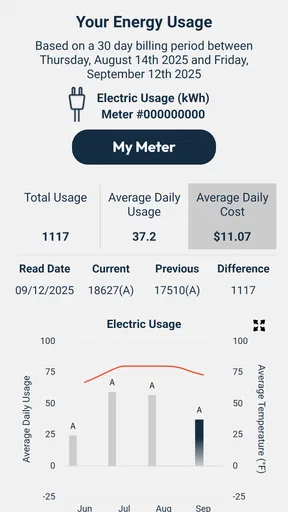
- Usage information can help customers monitor electricity consumption.
- Service requests can be submitted without calling customer support.
- Push notifications may provide timely alerts about outages and account activity.
Cons
- Some features require an active PSEG account and verified customer details.
- Outage information may be delayed during widespread emergencies.
- The app is mainly useful to customers within PSEG service areas.
- Certain account tasks may redirect users to mobile web pages.
- Performance and availability can vary during peak outage periods.
FAQs for PSEG
What is PSEG, and what can I use the app for?
PSEG is the official mobile app for managing your PSEG utility account and accessing essential electricity or gas services from a smartphone. After signing in, users can typically review account details, check current or previous bills, make payments, monitor usage, report an outage, receive service updates, and manage notifications. Available features may vary depending on your PSEG service area and account type.
Is the PSEG app free to download and use?
The PSEG app is generally free to download from the official Google Play Store or Apple App Store. PSEG does not normally charge a separate fee for installing or using the app, although standard mobile data charges may apply if you use it over a cellular connection. Payment processing rules, late fees, or other charges connected with your utility account still apply independently of the application.
Can I pay my PSEG bill through the app?
Yes, eligible customers can usually use the PSEG app to view their balance and pay an electricity or gas bill. Depending on the service region, available payment methods may include a bank account, debit card, or credit card. Before confirming a payment, carefully check the amount, account information, and processing date. Keep a confirmation receipt or email in case you need to verify the transaction later.
Can the PSEG app report outages and provide restoration updates?
The app is designed to help customers report a power outage and check outage information for a service address. It may display known incidents, estimated restoration details, outage maps, and notifications when the situation changes. However, information can be delayed during severe weather or widespread emergencies. If there is a dangerous condition, such as a downed power line, stay away and contact emergency services immediately.
Is my personal and payment information secure in the PSEG app?
PSEG uses account authentication and security measures intended to protect customer information, but users should still take precautions. Download the app only from an official app store, confirm that the publisher is PSEG, keep the app and operating system updated, and avoid signing in on unsecured public networks. Use a strong, unique password and never share verification codes or payment details with unsolicited callers or messages.


